
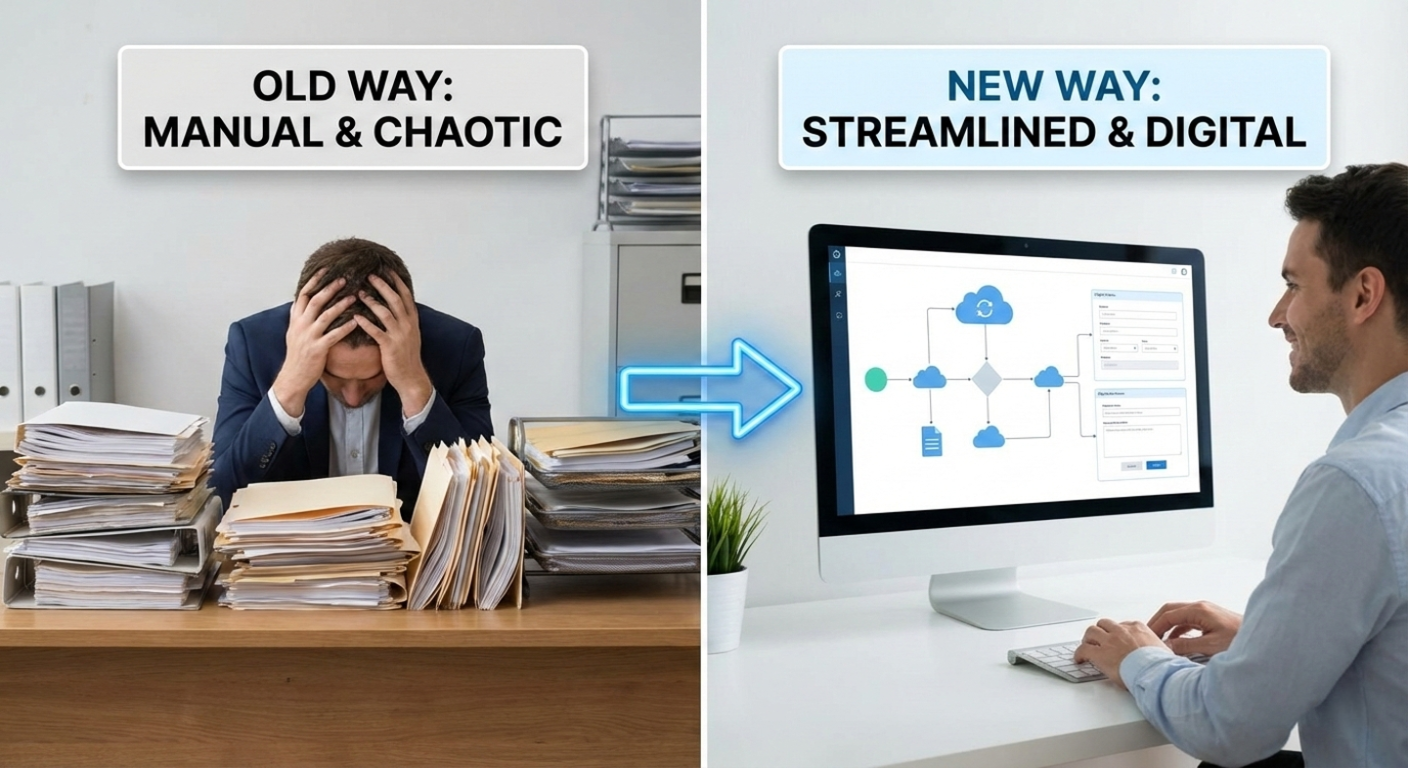
Today, we’re zooming out. This article highlights the industry-wide patterns we see across thousands of firms nationwide. The same bottlenecks appear regardless of firm size, state, or level of sophistication.
After 20 years immersed in family law tech — auditing workflows, studying inefficiencies, redesigning processes, and even experiencing the pain as a client — the same themes appear again and again. The good news? High-performing teams have already shown what works.
1. Collecting Client Data & Creating Court-Required Financial Statement, Child Support Scenarios, and Asset Distribution Excel Reports
High-Level Process
The typical process of collecting data from clients is time-consuming, requires jumping around to different modes, is unsecure… and is FRUSTRATING.
This requires staff to duplicate the data entry into multiple locations, leading to more errors and expense for clients.
This isn’t a small problem. For 20 years, family law professionals have consistently named client data collection as their #1 workflow pain point.
And the truth is:
The standard process almost every system uses actively creates more work for paralegals and more confusion for clients.
There is a better way.
Watch this short video to see the traditional process vs. how high-performing teams eliminate manual steps and re-entry.
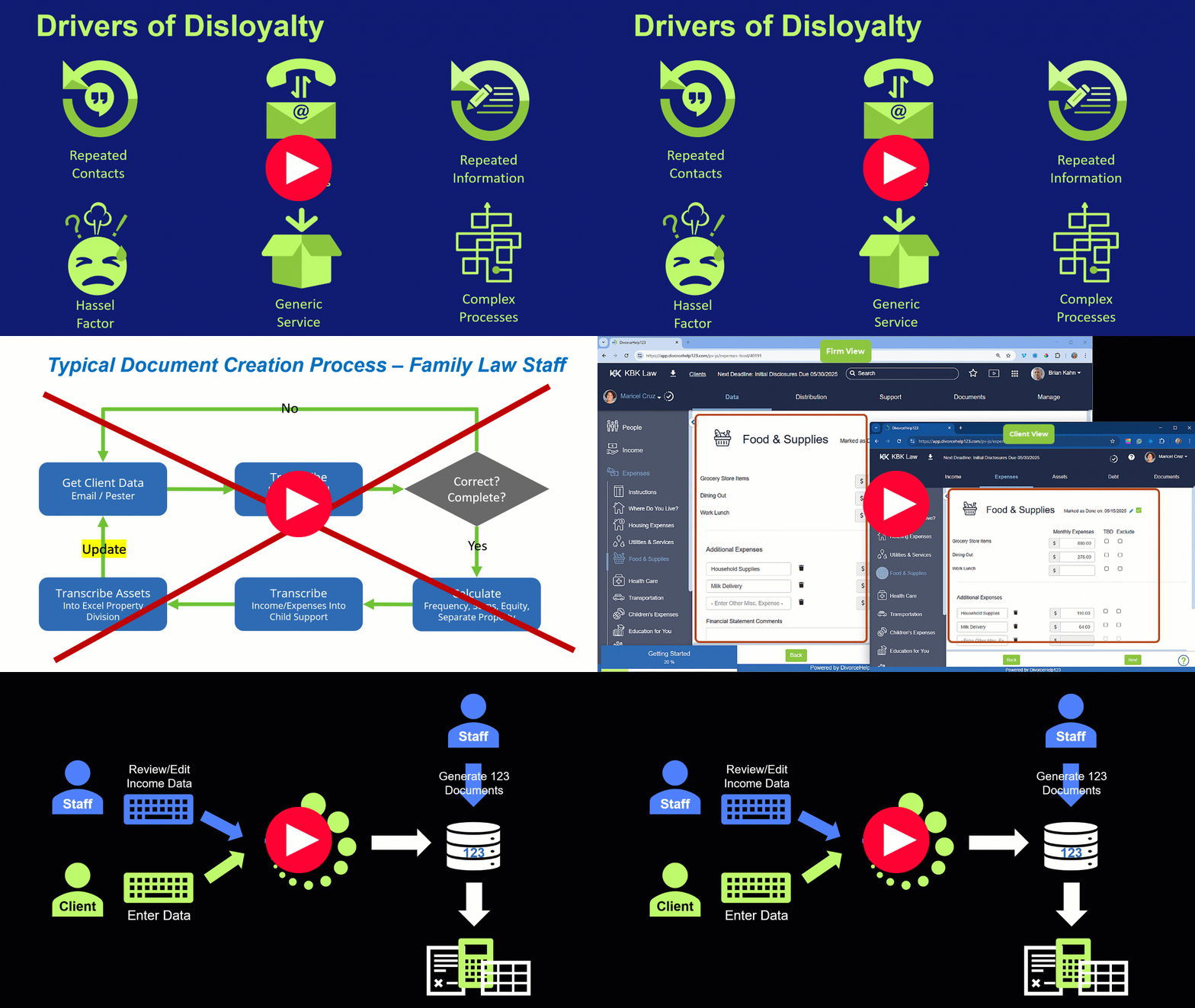
Collect Client Data for Court Documents: High Level Process
| What to Avoid | Best Practices |
|---|---|
|
|
➤ NOTE: The typical process for collecting client data and then having a paralegal retype it into a local software program is WORSE THAN simply giving your client the actual Financial Statement form provided by your Court and sending it back and forth! But there IS a solution that allows best practices.
Forms
Now let’s review what to avoid in your client forms, themselves, and how you can make them easy for your clients.
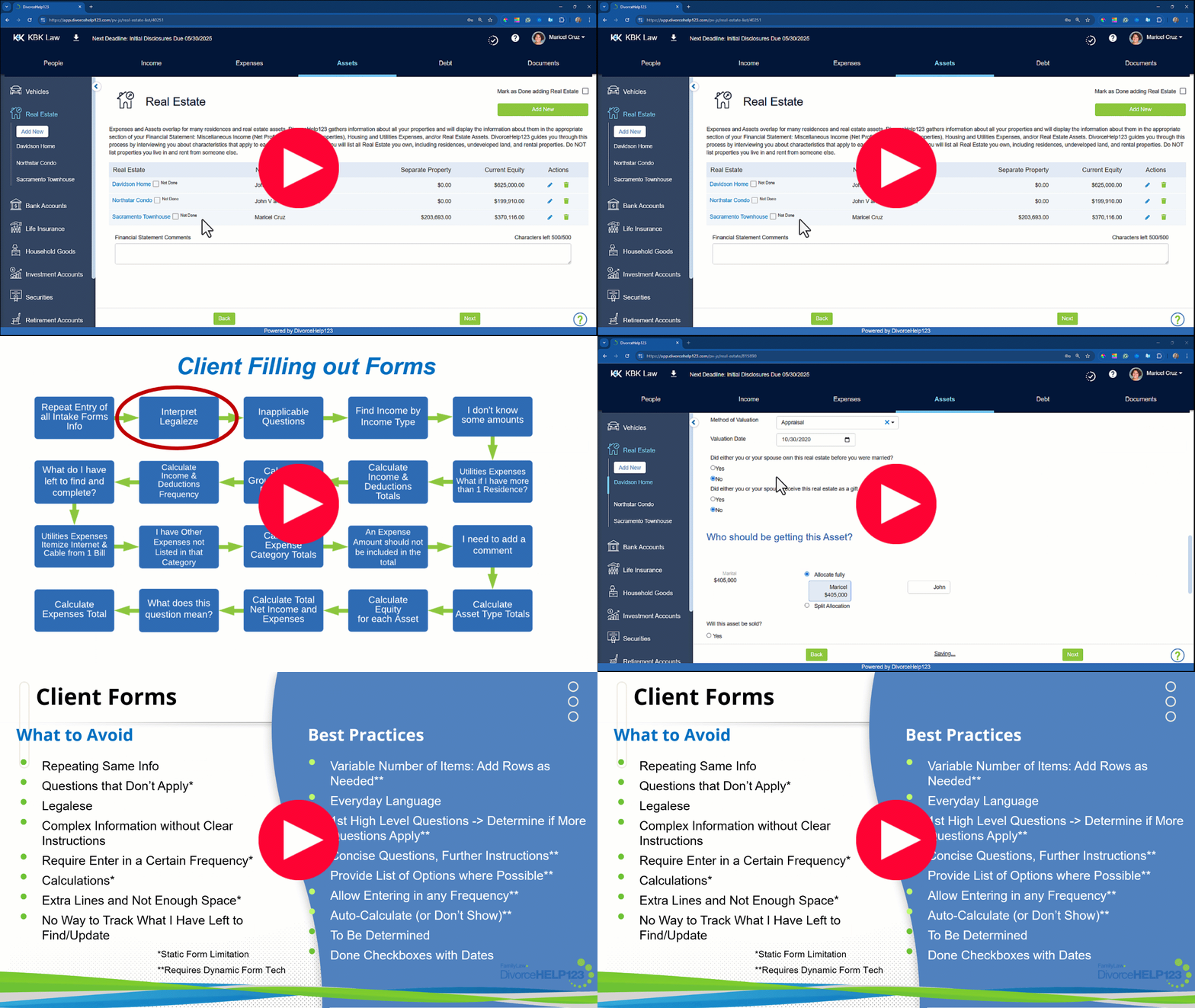
Client Forms
| What to Avoid | Best Practices |
|---|---|
|
|
2. Collecting Client Disclosure Documents & Creating Detailed Disclosure Statements
Collecting disclosure documents has improved over the years — if, and only if, firms have adopted secure, electronic processes. Paper and email attachments should be long gone.
Even when using “good” processes, three pain points appear repeatedly:
Top Pain Points:
- Clients upload documents into one large, unorganized pile
- Staff must rename every file using a consistent naming convention
- Creating itemized disclosure statements is extremely tedious
Watch this short video which demonstrates the traditional workflow and the improvement path
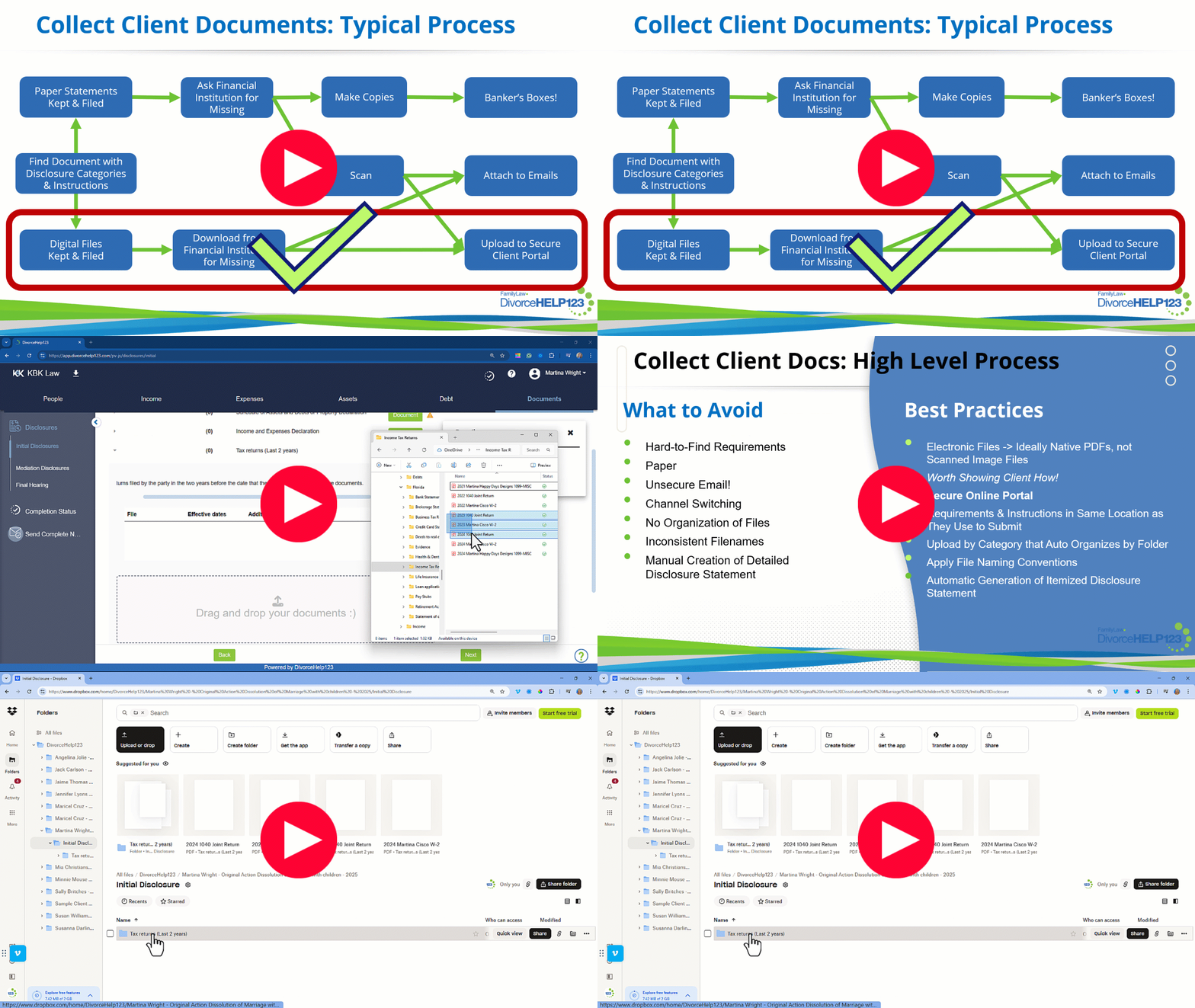
Collect Client Docs: High Level Process
| What to Avoid | Best Practices |
|---|---|
|
|
3. Creating Visibility for Clients & Decision-Makers with Child Support Scenarios
Child support is a critical part of nearly every family law matter — yet firms often struggle to present clear, side-by-side scenarios to help clients understand their options.
In section 1 I discussed the importance of entering income and expense data in only one place.
Now, let’s go deeper into child support tools.
It’s important to give your clients clear visibility of their options, and how those options affect child support. For example:
- Different parenting schedules
- Variable income (jobs heavily dependent on commissions and bonuses, imputed income for unemployed parents)
- Which parent will be paying for health insurance
- If and how much spousal maintenance
Your child support app should allow you to:
- Create multiple child support scenarios without reentering information or overwriting previous scenarios
- Automatically pull in and update income and expense values in all scenarios from updates made for the financial statement
- Turn automatic syncing of specific income and expense value on/off to try out, for example, variable income scenarios
- Show client-friendly side-by-side comparison:
- All values
- Only values that differ between scenarios

(Click the image above to view it in full size)
Why Comparison Reports Matter
While clients don’t make the final decisions, they do have a say in what they want. They need visibility to make informed decisions about what they’d like to propose. Your child support app should be able to easily generate a comparison report showing your client’s and the opposing party’s proposals side-by-side.
Child Support
| What to Avoid | Best Practices |
|---|---|
|
|
4. Asset Distribution Planning Built on Fragile, Manual Spreadsheets
Like Child Support, we already discussed the importance of collecting client data in the most efficient way. It is even more important for Asset Distribution.
Most law firms use an Excel template, with some of the key formulas pre-existing in the template. To create a property division scenario, attorneys or divorce financial planners need to:
- Add all asset and debt items to this spreadsheet, typically in sections by asset type.
- Enter the marital/community equity amounts, and any separate property components.
- Make sure that the sum formulas include all of the asset and debt items… sometimes an asset will be added and the person working on the spreadsheet forgets to adjust the sum formulas to make sure all rows are included, and no rows are included in multiple category sums.
- Make the property allocations.
- Make sure the allocation formulas haven’t been overwritten.
- Make sure the important bottom calculations were not overwritten: such as the total marital equity for each party, the equalization payment.
The formulas need to be perfect. Most spreadsheet users rely on those formulas to be included in the spreadsheet template and would not know how to write them on their own if one was overwritten.
With the big effort of manually creating the Excel reports, after appraisals and valuations come in, and loan balances change, it is a nightmare to update all the values in the spreadsheet. This leads most family law firms to wait to start discussing property division options with their clients until the values stabilize. It is best to start talking about property division options soon after the filing of initial disclosures. In fact, some states’ financial statement includes requested property allocations.
The tedious project of manually adding values to an Excel template also leads to firms only creating one spreadsheet. You can try different property allocations, but any change overwrites the other allocation options.
Dividing the property is extremely important. It is best to create multiple “what if” property division scenarios such as:
- “Do we have enough other marital property so that I can keep the family home?”
- “Should we QRDO one of the retirement accounts and, if so, by how much?”
- “What are the different ways we can split up the various investment accounts and real estate so that the marital property is divided almost equally with only a small equalization payment?”
Property division scenarios should be easy to create such that all of the asset and debt information automatically comes in and they only need to play with the allocations.
They should be able to easily duplicate a scenario and make a few changes to the allocations.
When asset values and loan balances are updated for the financial statement, those values should auto-update every asset distribution scenario.
Your app should be able to auto-generate the actual asset distribution report. And that report should be an editable Excel or Google Sheet, with real, visible formulas. Many apps allow the data to pass through to asset distribution, and even allow you to create multiple scenarios, only to generate a nominally usable read-only PDF. Opposing counsel and decision makers want to see the underlying calculations.
AND, your app should be able to auto-generate Excel comparison reports, showing your client her various asset allocation options and how they affect the bottom line, side-by-side. It should have the option to show all asset and debt items or only the assets and debts with different allocations between the scenarios. This clears out “the weeds” and helps her to zero in on the differences.
Your app should also be able to quickly create a proposal for the opposing party, and to show your clients’ and the opposing party’s proposals side by side. Again, this should be Excel, with visible formulas, with the option to show all properties or only properties with different allocations. This report will be one of your most important documents during mediation and decision making.
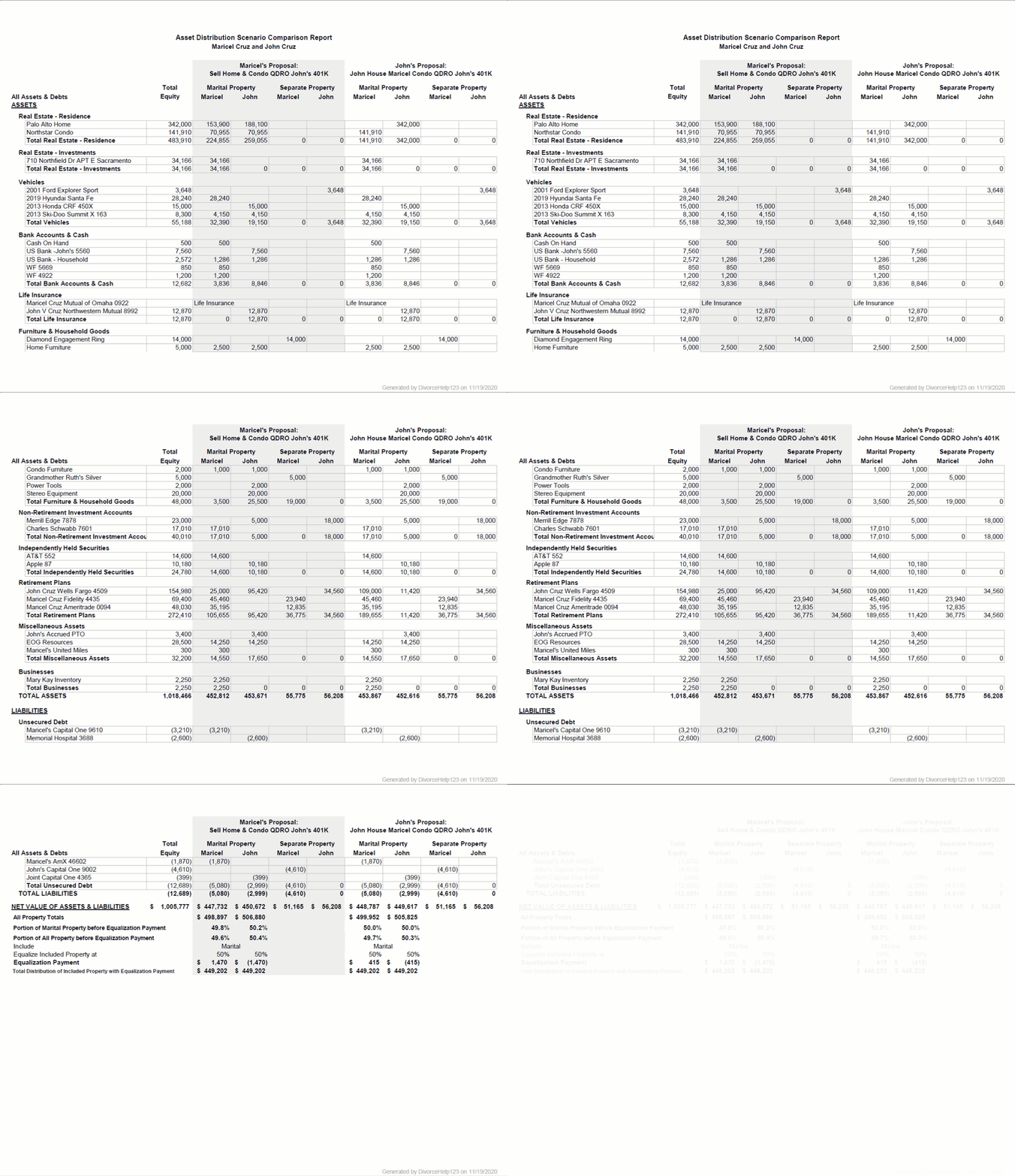
Asset Distribution
| What to Avoid | Best Practices |
|---|---|
|
|
5. Leveraging Artificial Intelligence to Eliminate Data Entry & Filename Updates
Data Extraction & Auto-Populate
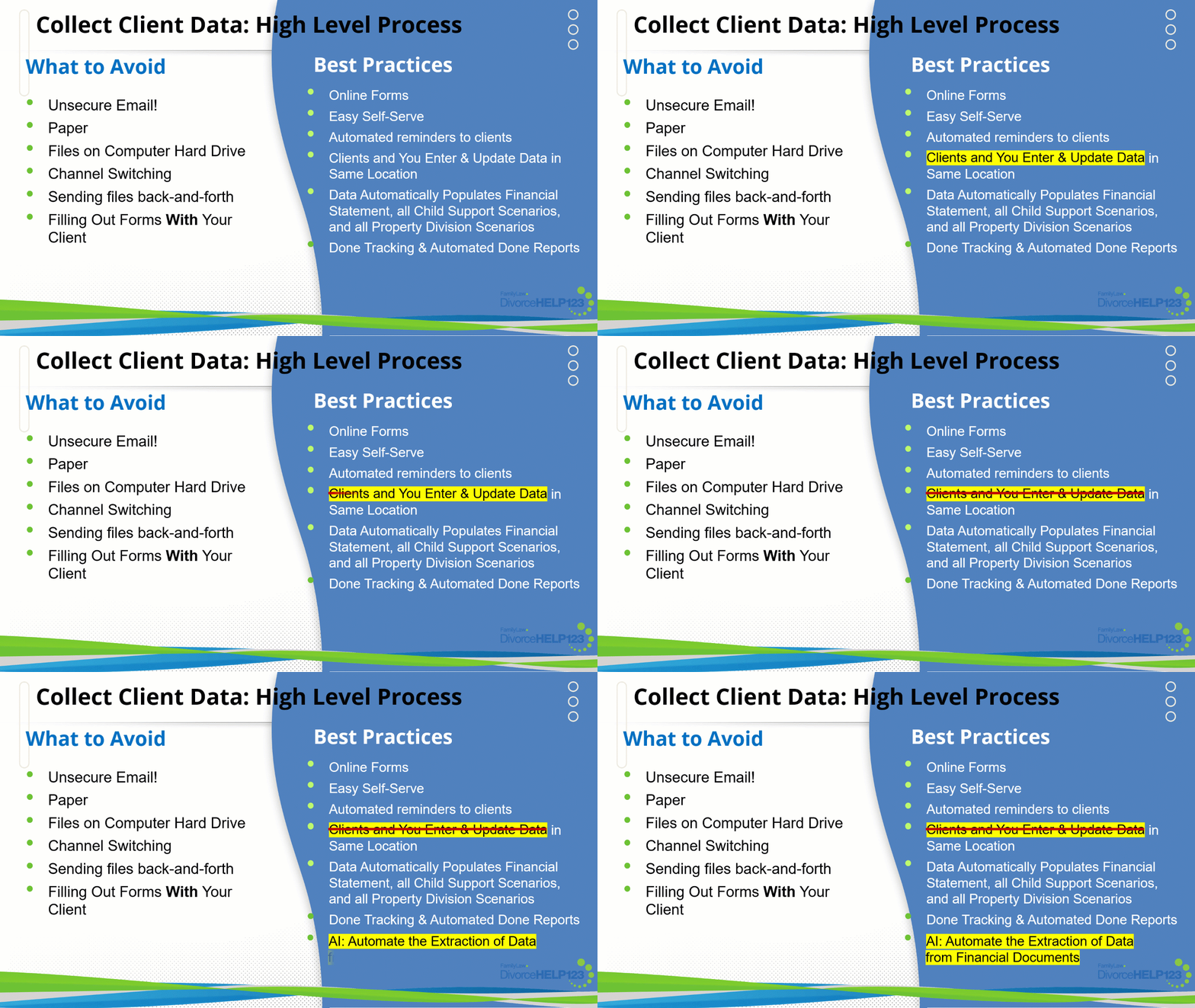
Even with the best system utilizing best practices, entering and updating client financial information is still time-consuming and error-prone.
What if there was a way to eliminate the need to enter most of the client's financial information?
With Artificial Intelligence, it’s possible to do just that.
Ai123 Extracts Data from Client Financial Documents and Auto-Populates

See DivorceHelp123 in Action
Schedule a demo of DivorceHelp123 to see how 123 can help your firm improve your workflows, including Ai123's data extraction automation.
Book Your Demo NowAuto-Update Filenames Using Consistent Naming Conventions
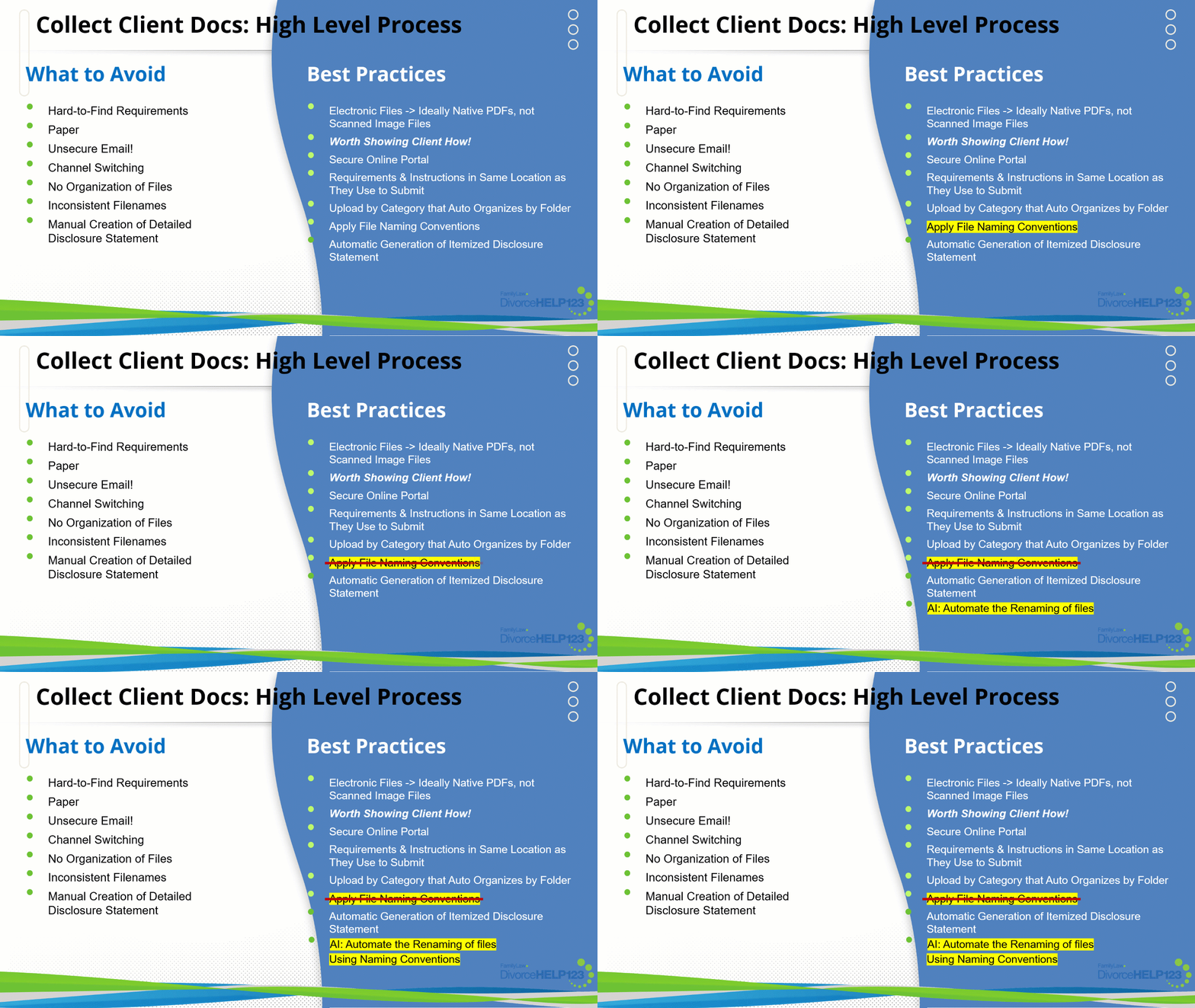
While applying file naming conventions is important, Clients usually struggle with this and it adds a complexity for them. Your team updating all of the filenames is time consuming and costly.
What if there was a way to eliminate the need to update all of the filenames while still maintaining consistent file naming conventions for the end product?
With Artificial Intelligence, it’s possible to do just that!
And that feature is coming soon in Ai123.
Conclusion
The gaps we’ve outlined appear in nearly every family law firm — but the good news is that high-performing teams have already paved the way toward more efficient, accurate, and client-friendly workflows.
With the right tools and a commitment to eliminating manual data entry, duplicate work, and outdated spreadsheet processes, firms can dramatically reduce administrative burden while improving the client experience.
In the next article, learn what family law tools are available in your state and how each perform in terms of:
- Collecting client data and documents workflows
- Generating financial statements and asset distribution Excel reports efficiently
- Providing visibility of options for parenting time and property division
The future of family law workflow management is here — and it’s built on automation, visibility, and intelligent data flow.