
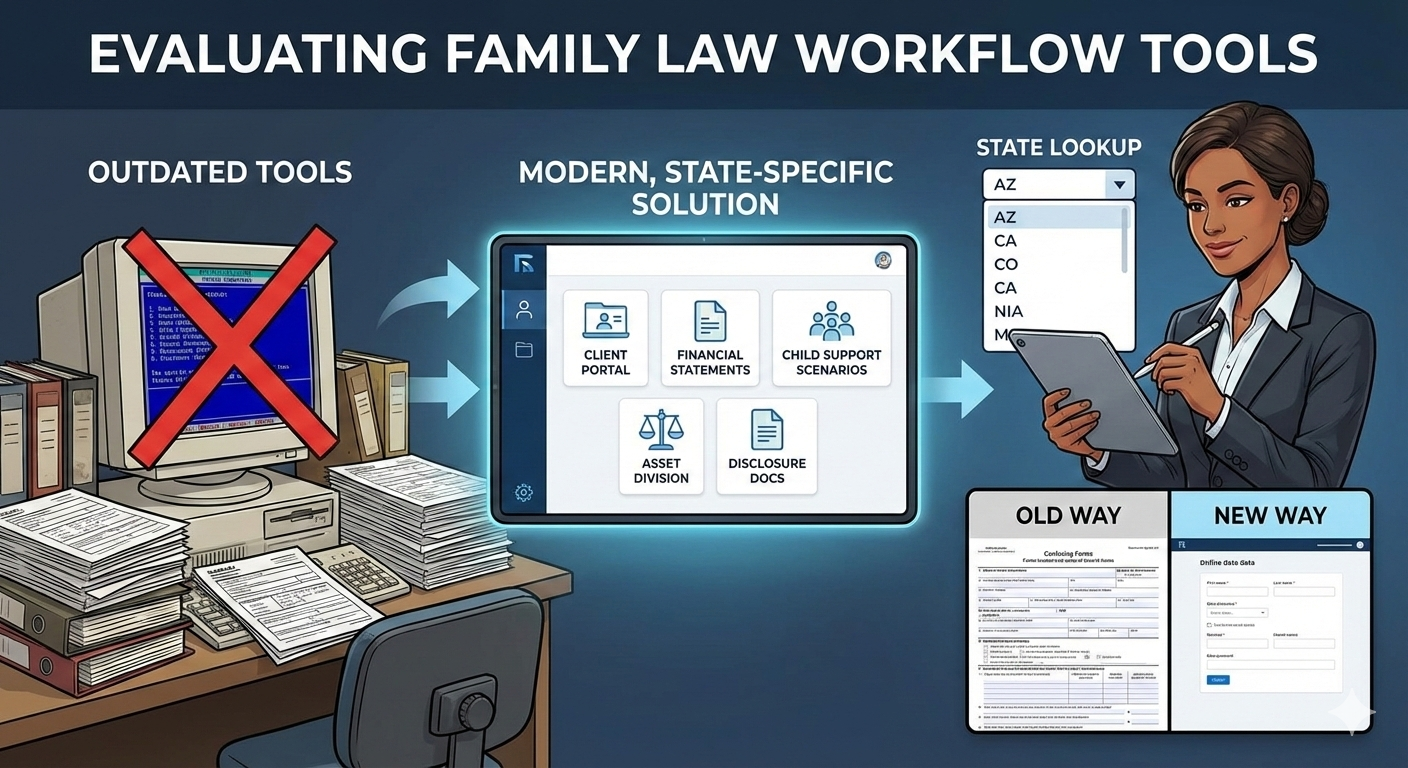
How to Evaluate Family Law Workflow Tools Available in Your State
A practical guide to choosing tools that truly support your court forms, workflows, and team
Introduction
Family law legal tech is unlike general legal tech — it must support your state’s specific financial statements, disclosure rules, child support guidelines, asset-division standards, and terminology. That’s why it’s so important to evaluate tools based not on national popularity, but on what’s actually available, functional, and compliant in your jurisdiction.
In this guide, I’ll walk you through how to evaluate the tools available in your state, why most commonly used tools haven’t evolved enough to meet current needs, and how to compare them side-by-side with modern alternatives. I’ve also built a state-by-state lookup table so you can quickly see exactly which tools support your state’s financial statement. I evaluate each family law tool based upon the workflow inefficiencies and best practices discussed in Industry Insights — Where Most Family Law Firms Struggle, and How High-Performing Teams Overcome Those Inefficiencies.
This evaluation process is critical. Choosing the right tool can transform your workflow, while continuing on with an outdated, incomplete, or poorly designed tool can quietly add hours of unnecessary labor to every single case.
1. Why State-Specific Tools Matter So Much in Family Law
Unlike other areas of law, family law workflows require:
- Unique financial statement formats
- State-specific disclosure categories
- Distinct child support guidelines
- Different asset-division statutes
- Varying approaches to separate vs. marital/community property
These aren’t small differences — they fundamentally shape what data must be collected, how it must be formatted, and how calculations must be performed.
Because of this, most family law tools support only one or two states.
And many were originally built decades ago and have not kept pace with modern usability standards or workflow expectations. In fact, several of these tools create workflows that are significantly worse than simply having clients complete the court provided editable PDF or Word version of the court’s financial statement!
This leads to a painful reality:
Many attorneys and paralegals feel “stuck” with outdated tools simply because they’ve never seen better options for their state.
You don’t have to tolerate that anymore. Modern, state-specific tools exist — and your clients and team deserve the easiest, most effective, and most streamlined processes.
2. The Must-Have Criteria for Family Law Tools
Not every tool that markets itself as “family law software” actually meets the complex, day-to-day requirements of family law professionals. If you search for “family law software,” you’ll find general practice management systems like Clio and MyCase in the results. These systems help with practice management — time, billing, calendar, tasks — and can generate simple documents.
But they cannot address core family-law-specific needs such as:
- Financial statements
- Child support calculations
- Asset distribution reports
- Document-heavy disclosures
For this evaluation, a tool must meet one essential requirement:
⭐ Must-Have Requirement: The tool must generate your state’s official financial statement.
If a tool cannot generate your financial statement, it cannot support your core workflow.
A complete family law solution should also calculate child and spousal support, support property division scenarios, and assist with organizing required disclosure documents. Those capabilities matter — and I evaluate all of them later — but the minimum requirement is financial statement generation.
Why this requirement is so important:
- The #1 reason family law professionals seek software is to create their state’s financial statement more efficiently.
- Almost every genuine family-law-specific application includes financial statement generation as a foundational feature.
- Template-based document generators simply cannot manage the complexity of a financial statement — it is a truly unique requirement.
The financial statement is the hub of the entire workflow. If the tool cannot generate it, nothing else matters.
3. Why Simple Template/Document Generators Don’t Work (and Why Many People Misunderstand This)
A tool that can print a financial statement from a template does not qualify as a financial-statement application.
Many platforms market themselves as providing “form automation” or “document automation,” but in reality, most simply merge client fields into a Word document or fill fields in a PDF.
Examples include:
- Clio Draft – Lawyaw / InfoTrack
- HotDocs-based tools
- Smokeball’s TemplateLab
- LEAP’s DivorceMate
- Gavel
- Any document automation tool inside a practice management solution or stand-alone based on “fields → doc template merge”
These tools allow users to set up custom fields, provide basic portal forms, and merge data into templates. They are excellent for simple, static documents — engagement letters, pleadings, routine forms. That’s why we built DocMaker123 — to handle these simpler templates perfectly.
But document template tools cannot handle the requirements of complex financial documents, which require:
- Large volumes of structured financial data
- Variable categories and item counts
- Complex totals and subtotals
- Intricate conditional logic
- Automatic recalculation
- Cross-document consistency
- Interconnected data relationships
The confusion arises because some template-based tools do offer financial statement templates. But having a template is not the same as having a full financial-statement engine.
In practice, using these systems for financial statements is like trying to use a label maker to generate a 1040 tax return. It’s a great tool — just entirely the wrong tool for that job.
The examples I’ve seen of financial-statement workflows in Gavel and Clio Draft have been extremely difficult for clients and staff. The input screens are more confusing than simply filling out the online PDF, and the output is often incomplete or visually problematic.
In addition, online templates are not included in the evaluation. Even though many online form provide a better workflow than legacy family law software (because data is entered in one place), they still function more as editable PDFs — not as financial statement systems — and are readily accessible by states’ court websites..
4. What a Modern, State-Specific Family Law Tool Should Do
When evaluating tools available in your state, look for a complete solution that supports:
Client Data Collection
- Clients and staff enter data in the same location
- Dynamic forms that adjust depending upon the clients’ inputs
- Easy online forms
- Same data automatically populates financial statement, all child support scenarios, and all property division scenarios
Document Collection
- A secure online portal
- Category organization
- Clear document requirements where they upload
- Consistent File naming conventions
- Automatic generation of itemized disclosure statement
Financial Statement Generation
- No data transcription
- Automatic calculations
- Automatic updates when values change
Child & Spousal Support
- Multiple “what-if” scenarios
- Side-by-side comparison
- Turn on/off automatic synchronization of certain income/expense items
Asset & Debt Division
- Easy to create multiple property division “what if” scenarios
- Current asset data automatically flows into every scenario
- Quick generate Excel reports with visible, real formulas
A true family law tool should eliminate the inefficiencies and enable the best practices you identified in your workflow audit and in Article #2.
If it cannot do these things, it’s not built for modern family law — it’s built for a previous era.
5. State-by-State Lookup: Tools Available for Each State
Below is the lookup table where you can see exactly which tools are available in your state.
Click on any family law offering to see its strengths and limitations across workflows such as client data collection, financial statements, disclosure documents, child support, and asset distribution.
| State | DivorceHelp123 | Other Offerings | Notes |
| Alabama | ✅ | ||
| Alaska | ✅ | ||
| Arizona | ✅ | ||
| Arkansas | ✅ | ||
| California | ✅ | Family Law Software, DissoMaster: Propertizer (Shut Down) | |
| Colorado | ✅ | Math4Law, Family Law Software | |
| Connecticut | ✅ | Family Law Software | |
| Delaware | ✅ | ||
| Florida | ✅ | Family Law Software, DPA, FormuLaws | |
| Georgia | ✅ | ||
| Hawaii | ✅ | ||
| Idaho | ✅ | ||
| Illinois | ✅ | Family Law Software | |
| Indiana | ✅ | ||
| Iowa | ✅ | ||
| Kansas | ✅ | ||
| Kentucky | ✅ | ||
| Louisiana | ✅ | ||
| Maine | ✅ | ||
| Maryland | ✅ | Family Law Software | |
| Massachusetts | ✅ | Family Law Software, EasySoft | |
| Michigan | ✅ | Family Law Software | |
| Minnesota | ✅ | Family Law Software | |
| Mississippi | ✅ | ||
| Missouri | ✅ | ||
| Montana | ✅ | ||
| Nebraska | ✅ | ||
| Nevada | ✅ | ||
| New Hampshire | ✅ | ||
| New Jersey | ✅ | Family Law Software, EasySoft | |
| New Mexico | ✅ | ||
| New York | ✅ | Family Law Software, TIPS-MatMaster | |
| North Carolina | ✅ | Settlyd (1 County) | |
| North Dakota | ✅ | ||
| Ohio | ✅ | Family Law Software, Puritas Springs Legal Software | |
| Oklahoma | ✅ | ||
| Oregon | ✅ | MyPleadings | |
| Pennsylvania | ✅ | Family Law Software | |
| Rhode Island | ✅ | ||
| South Carolina | ✅ | Settlyd | |
| South Dakota | ✅ | ||
| Tennessee | ✅ | ||
| Texas | ✅ | ||
| Utah | ✅ | ||
| Vermont | ✅ | ||
| Virginia | ✅ | ||
| Washington | ✅ | FamilySoft, MyPleadings | |
| West Virginia | ✅ | ||
| Wisconsin | ✅ | ||
| Wyoming | ✅ |
Next up: A Practical Evaluation & Implementation Plan
In the next guide, I walk you through a step-by-step plan for evaluating a new tool, piloting it with real clients, and rolling it out successfully across your team.
6. Final Thoughts
Family law professionals deserve modern, intuitive, state-specific tools.
You deserve software that saves time, reduces errors, improves client experience, and supports best practices in family law processes workflow — not a patched-together system from 15 years ago.
👉 Schedule a demo of DivorceHelp123.
This evaluation guide and state lookup will help you:
- Understand what’s truly available in your state
- Avoid outdated or incomplete tools
- Make confident technology decisions for 2026
- Build a more modern, efficient workflow
You have more options than you realize — and far better tools than the ones most firms feel stuck with.